The classroom runs on it. Per-period lab attendance, standards-mastery scoring on a four-band scale, build logs per student, family contacts that include the adult learner who’s actually paying. Your room’s name on the door. Your data in your own Google Workspace, going with you when you change districts.
Sunday, 9 PM.
Tomorrow morning’s pendulum lab is laid out on the bench: every station, the goggles counted, the protractors lined up. The lab-safety waiver for the new transfer student is still on your demo desk, unsigned. You don’t know which of three parent emails actually had it attached.
The post-lab quizzes are in the district gradebook as percentages, because that’s all the district will take. The build logs are in a shared Google Doc you stopped updating in February. Your own notes on who’s actually getting it live in a paper notebook somewhere in your bag.
You meant to send him a note about the catapult build three weeks ago. It’s been on the to-do list since the unit started. She’s halfway through the calibration phase and he doesn’t know any of it happened.
what you can do with one tap
Friday, 4:48 PM
A pile of graded papers on your desk. The weekend is right there. You snap a photo, tap Record grades, and the 28 marks land in the gradebook. The marked-up copies save to each student’s folder. The parents who asked for a heads-up get one in your voice. Close the laptop.
3:58, two minutes to class
You’re across the room signing a permission slip. One tap on the student who isn’t there. Or you tell your assistant “everyone but Bobby showed up.” Today’s attendance is in. Bobby’s family gets the auto-draft note in your voice.
Walk-in, Tuesday afternoon
A new family at the door, here to see the place. You tap Welcome packet. A branded packet with their name, your policies, and your rates lands in their email and in their Drive folder under a minute later. They sign and send it back the same evening.
what you actually use
Stat tiles for what needs attention this week, menu cards for the rest of the lab. Newton in the top tab if you want him.
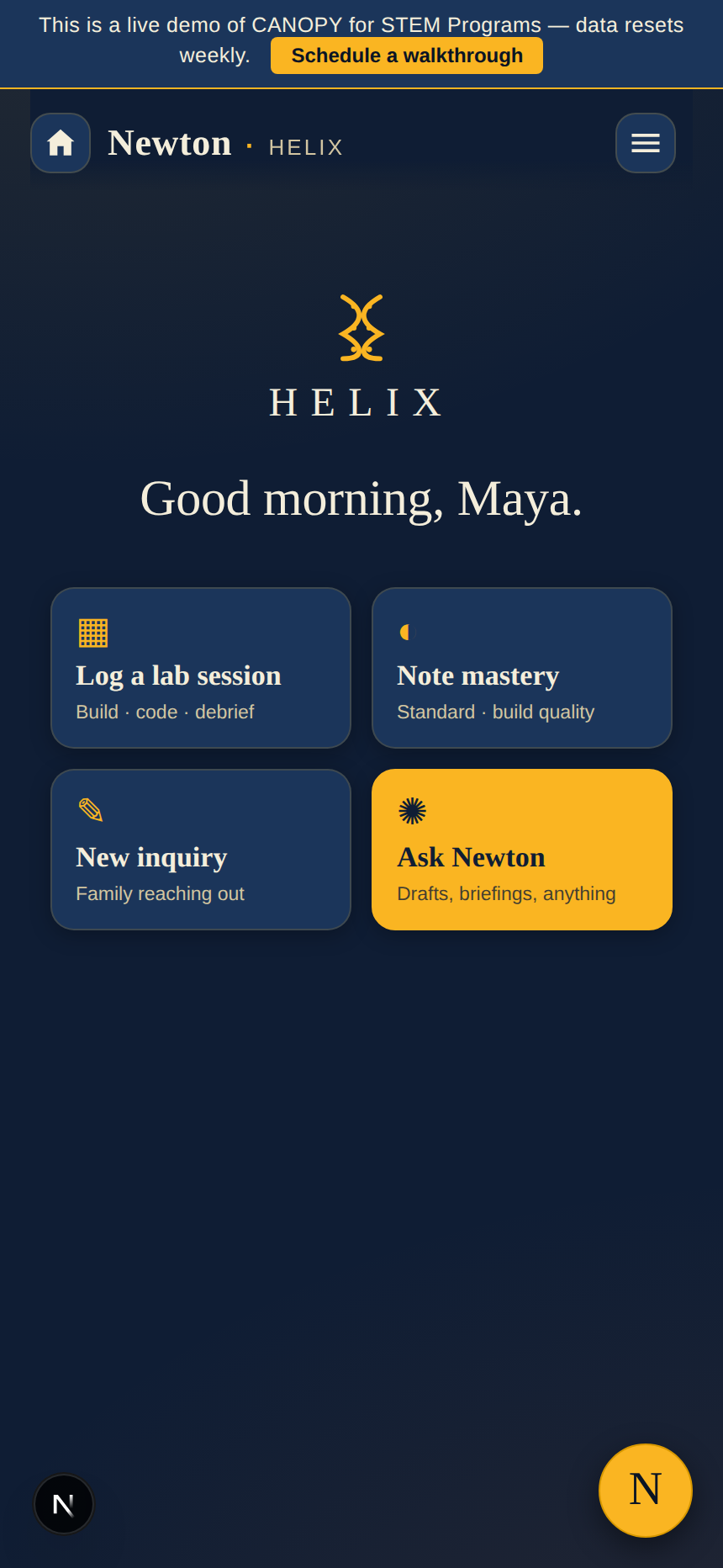
The lab’s name centered at the top, a greeting that knows the time of day, and the four cards you tap before the bench fills up: log a lab session, note mastery on the four-band scale, take a new family inquiry, ask Newton. Everything else is one menu away.
a week at Helix Lab
Monday, 7:38 AM
Period 1’s roster is on the tablet. Friday’s exit tickets are already logged against Standard 4.2 (energy conservation), each scored on the four-band scale. The safety waiver for Maya’s new lab partner is filed in her folder, ready to print. You poured the coffee and set out the data tables. That was your prep.
Wednesday, prep period, 11:32 AM
Newton pulled her catapult build-log entries from the unit: the calibration trials, the bell-curve graph she made, the question she asked about projectile motion that nobody else thought to ask. He drafted a paragraph in your voice. You read it, changed one line about the rubric, sent. The thing you’ve been carrying for three weeks is done in seven minutes.
Friday, 4:14 PM
This week’s mastery is logged against the unit standards. The lab notebooks are stacked, the glassware is drying on the rack, the family update for next week is queued in Newton’s drafts in your voice. You close the laptop at 4:20. You mean it this time.
Newton drafts the family updates you keep meaning to send. He writes the lab-safety reminder when a new student joins. He pulls a student’s build-log history when you ask for it: the calibration trials, the data, the standards each entry hit.
When a student submits lab work through the student portal, Newton can read the submission, suggest a mastery rating against the standard, and write a comment. You tap to approve before any of it lands on the record. AI-assisted, teacher-approved. Never automatic.
Switch him off in settings and the lab runs the same. Attendance, mastery, families, labs, every core module keeps working. The decision is yours.

what’s inside
Add or drop any of these from the settings tab whenever you want. The app updates in the background. No rebuild, no migration.
from one teacher to the next
pricing
Solo at $169 per month, or $699 once to own. Every core tool on, billed flat, not per student.
$169/mo · Solo
or $699 once to own.
For the solo science teacher: every section you teach, the lab schedule, your in-classroom mastery record, family contacts, weekly updates. Every core tool on.
Pick the Solo plan→questions
My district has its own gradebook. Why this one too?
Because the district gradebook is for the district. They want a percentage and a letter. This one is for you: the build logs, the standards-mastery record, the family-contact history, the actual record of what each student can do in the lab. When you change districts, this CANOPY goes with you. The district’s gradebook stays with them.
Will the app work with my Google Workspace?
Your data lives in your own Google Workspace, in your own Drive and Sheets, behind your own sign-in. The app reads from and writes to your account. If you ever leave CANOPY, every Sheet, every Doc, every student folder stays in your Drive.
Does the AI train on my students’ work?
No. Newton reads your classroom context during each conversation so he can answer accurately about your students and your standards. Anthropic, the company behind the model, does not train on that data. (Per their public API policy.) The conversation is the only place that context appears.
Can I turn the AI off?
Yes. There’s an AI Enabled switch in your Branding tab. Flip it off and Newton disappears. The lab still runs: attendance, mastery, lab fees, family emails, schedule, documents, all of it.
Does the app grade lab work for me?
When a student submits lab work through the student portal, Newton can read the submission and suggest a mastery rating against the standard with a comment. You read it, approve or change it, and only then does it land on the record. AI-assisted, teacher-approved. Never automatic.
I teach five periods of one subject. Does it handle that?
Yes. Sections is part of the backbone. One subject, every period you teach, separate rosters and mastery columns per section. Bulk-enter scores by section. Take attendance by period, not all at once.
What about my students’ privacy?
Student data lives in your Google Workspace, not ours. Family and student portals use time-limited magic-link sign-in (parent tokens last 30 days, student tokens 7 days). Students under 13 require parent mediation. We don’t sell anything. There isn’t a marketing channel pointing at any of it.
Is there a free trial?
No. There’s a free demo (Willowbrook). It runs the actual app with sample data. Use it as long as you need before you decide.
From a teacher, for science teachers