CANOPY for the school

CANOPY for the martial arts school.

The whole school runs on it. Instructors with their own logins and revenue splits, belt-test candidates pulled from every class on the mat, class packs that decrement across every instructor a student trains with, family discounts auto-applied to dues. Your school’s name on the door, your data in the school’s own Google Workspace.
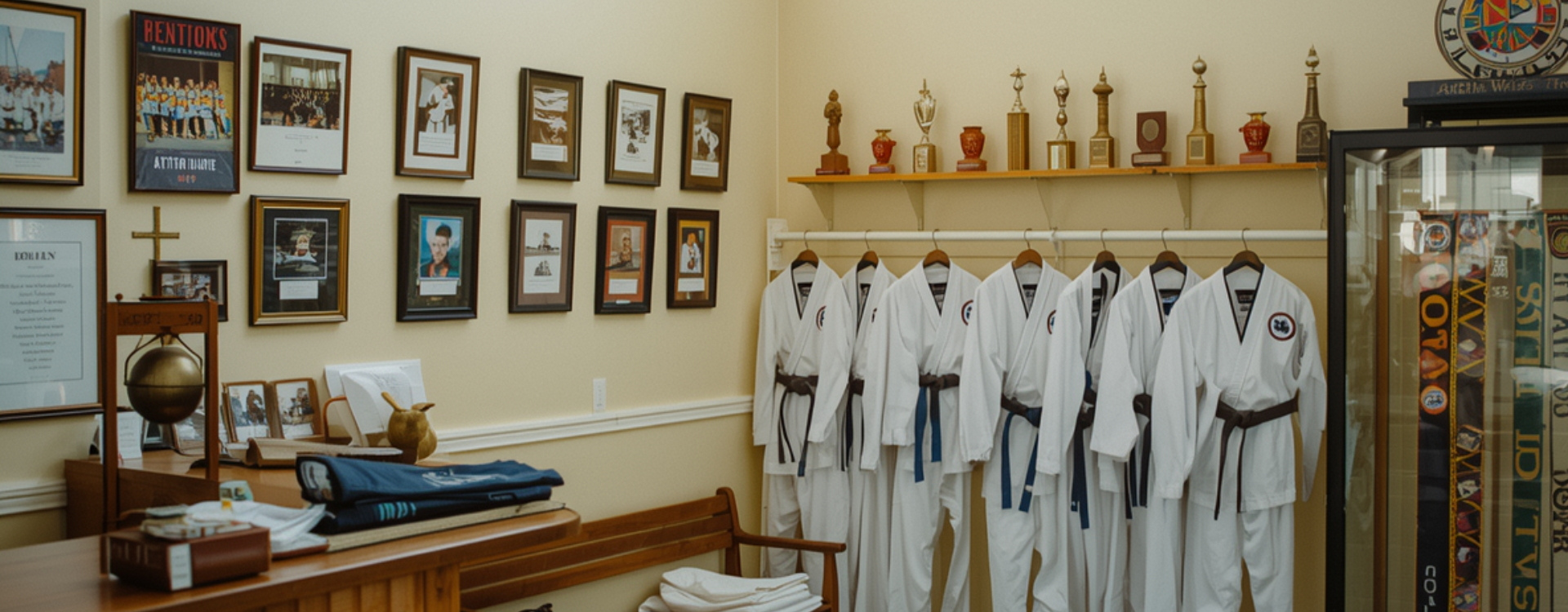
A martial arts school lobby. A wooden reception desk, a wall of trophy cases and team photos, a rack of folded white uniforms, a glass case of belts arranged by rank, warm light from a clerestory window.

Sunday, 9 PM.

You opened a school because you love teaching the discipline. The admin took the evenings.

Three families are behind on dues, somewhere across the roster.

A month past due, you can’t tell which families. You’d have to message each instructor on a Sunday night and ask which of their students’ families are caught up. Two of them won’t answer until Monday.

A new instructor starts Tuesday morning.

The welcome packet hasn’t been updated since the last hire. School policy, the first-week schedule, the parent introduction script, the curriculum binder are all still only in your head, or scattered across three Drive folders that you keep meaning to consolidate.

Belt test in three weeks, across three instructors’ classes.

Who has the hours in, who needs another stripe, who’s been training enough at their current rank: the answer is on three different clipboards in three instructors’ lockers. You don’t have a single list. Last cycle you ran behind and one family was angry about it.

what you can do with one tap

What one tap does.

Friday, 4:48 PM

A photo of the stack becomes 28 grades.

A pile of graded papers on your desk. The weekend is right there. You snap a photo, tap Record grades, and the 28 marks land in the gradebook. The marked-up copies save to each student’s folder. The parents who asked for a heads-up get one in your voice. Close the laptop.

3:58, two minutes to class

You mark the one who isn’t there. The room is logged.

You’re across the room signing a permission slip. One tap on the student who isn’t there. Or you tell your assistant “everyone but Bobby showed up.” Today’s attendance is in. Bobby’s family gets the auto-draft note in your voice.

Walk-in, Tuesday afternoon

Their welcome packet is ready before they leave.

A new family at the door, here to see the place. You tap Welcome packet. A branded packet with their name, your policies, and your rates lands in their email and in their Drive folder under a minute later. They sign and send it back the same evening.

what’s inside

Twelve tools every CANOPY ships with, plus four for a school with instructors.

What every CANOPY school gets

  • Students and families
  • Schedule on shared dojo calendars
  • Family communications across every instructor
  • Documents (intake, dues invoices, rank certificates)
  • Dues: invoices across families, balances, overdue tracking
  • Class attendance per instructor, per class, per student
  • Rank and skills: belt rank, stripes, scores per skill
  • Curriculum: forms, drills, training plans
  • Progress reports and rank histories per student
  • Tasks and reminders for every instructor
  • School knowledge base (policies, ranks, schedule)
  • School branding, plus Asha as the school’s assistant

The four built for martial arts schools

  • Multi-instructor staff with revenue split per instructor
  • Belt ranks with stripe tracking and hours-at-belt across every class
  • Class packs decrementing across every instructor a student trains with
  • Family and sibling discounts auto-applied to invoices

Pro turns these four on by default. Add or drop any of them from settings whenever you want. The app updates in the background. No rebuild, no migration.

what your instructors actually open

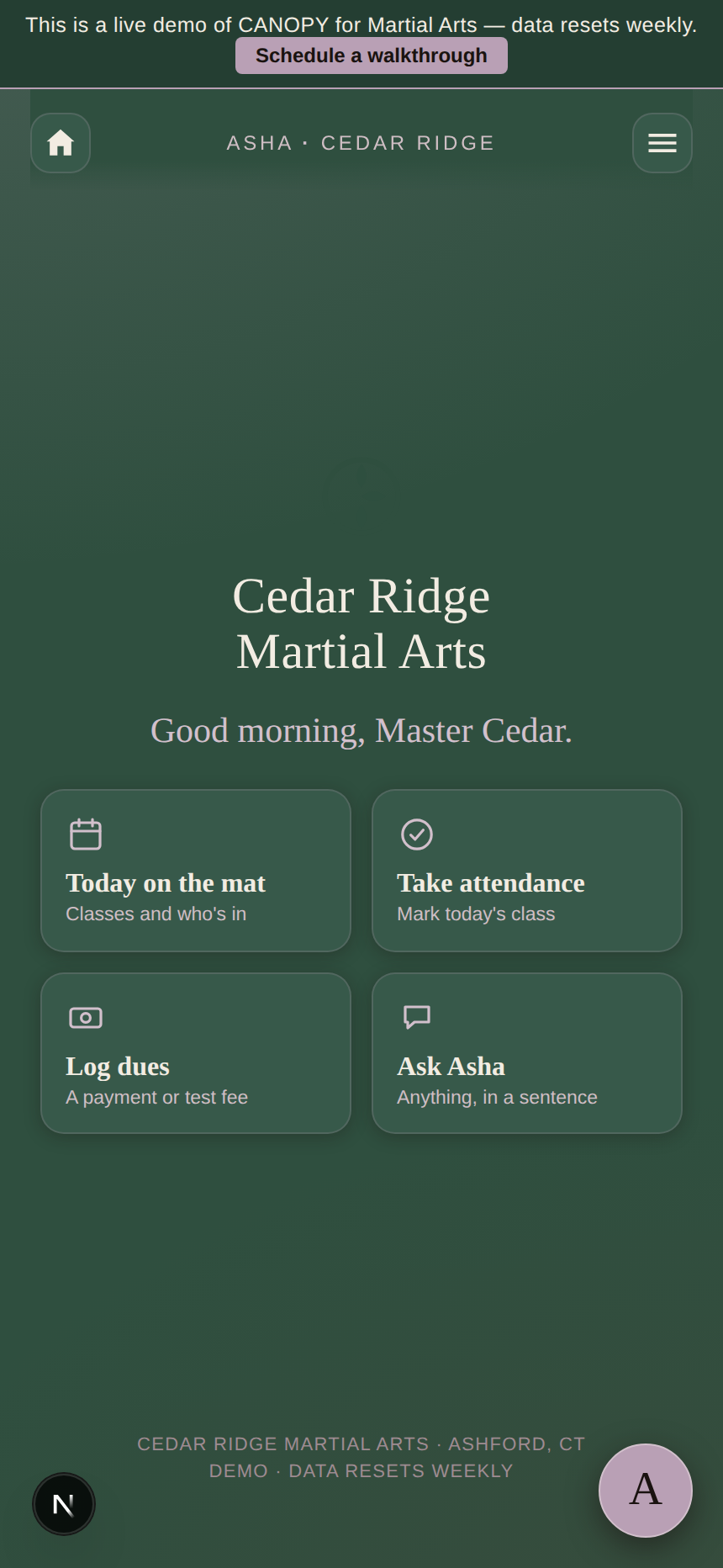
The school’s home screen, the afternoon before classes start.

The instructor digest at the top, today’s classes across every instructor, the families with dues past due that need a call. That’s the screen.

The Cedar Ridge Martial Arts home screen on a phone. The school name centered at the top, the greeting ‘Good morning, Master Cedar,’ and four quick-action cards: today on the mat, take attendance, log dues, ask Asha.

It opens to the four things you reach for first.

The school’s name centered at the top, a greeting that knows the time of day, and the four cards your instructors tap before stepping onto the mat: today on the mat, take attendance, log dues, ask Asha. Everything else is one menu away.

  • The school’s name on every family-facing screen, your colors throughout
  • Asha in a side tab. Open her when you need her, ignore her on the mat.
  • Instructors, belts, dues, attendance: each one menu away
Optional AI

Asha for the school, if you want her.

Asha drafts the instructor digest you send on Sunday night. She writes the welcome packet for the instructor who starts on Tuesday. She pulls the cross-instructor ready-to-test list from hours-at-belt and last stripe. She drafts the family-balance reminders that go to every family behind, in the school’s voice. You read, change a line, send.

Switch her off in settings and the school runs the same. Instructor rosters, dues across families, class attendance, every core module keeps working. AI is one tab in this app, never a dependency.

She helps the days you want help. The other days, the app already does the work.

A head instructor’s planning desk overhead. An open class-schedule binder, a handwritten list of belt-test candidates, ranking certificates, a small earthen tea cup, a folded ceremonial belt at the corner.

an evening at Cedar Ridge

After the last class, the school is quiet.

An instructor lounge in a martial arts school. A low wooden tea table, a single framed Japanese calligraphy scroll on the wall above a long wooden bench, curriculum binders, a sliding paper-and-wood screen door open to the floor beyond.

After the last class, 8:04 PM

The work for next month is already drafted.

Next month’s dues reminders are drafted, with the families who’ll need a heads-up flagged. Asha wrote the welcome packet for the new instructor while you ran the last children’s class. The belt-test candidate list across all three instructors is on the screen ready for you to confirm. You close the door at eight, and the rest of the night is yours.

how to get yours

You’re looking at the school’s demo on this page.

No sales call. No demo schedule. The home screen, the instructor digest, the post-class moment are all on this page already.

Look

You’ve been doing it since you scrolled in.

The home screen, the still life on Asha’s desk, the instructor lounge at 8:04. That’s the actual app and a real evening on the mat. Scroll back to any of it.

Buy

Checkout takes about two minutes.

Drop in the school’s name, your billing email, your card. Stripe handles the payment. Pro locks in. Cancel any time in month one.

Make it the school’s

Set it up in about ten minutes.

Your app is already at your subdomain. The setup wizard walks you through picking the brand colors. About ten minutes from your end.

The app scales without scaling up. A three-instructor school and a multi-program academy with a competition team and a kids’ program run the same app, more rows in the same tabs. Never a rebuild.

pricing

One price for the martial arts school.

Pro turns on every module a martial arts school needs. Unlimited instructors, unlimited students. No per-seat counting, no enterprise call.

$699/mo · Pro

or $6,999 once to own.

Multi-instructor rosters with revenue splits per instructor. Belt ranks with stripe tracking and cross-class candidate lists. Class packs decrementing across every instructor a student trains with. Family discounts auto-applied. Asha on every instructor’s side tab.

Start the school’s CANOPY

Includes

  • The 12 core modules and Asha
  • Multi-instructor staff with per-instructor revenue splits
  • Belt ranks with stripe tracking across every class
  • Class packs decrementing across every instructor
  • Family and sibling discounts auto-applied to invoices
  • Parent and student portals with magic-link sign-in
  • Unlimited instructors, unlimited students

Voices

What school owners have said back.

Three instructors, one app. I stopped asking each one who’s ready to test.

a school owner

The welcome packet writes itself for every new hire. I haven’t redone it since.

a head instructor

The dues reminders go out without me bracing to send them. That alone was worth it.

a school owner

questions

What school owners ask before they buy.

Will the app look like my school, or like CANOPY?

Your school’s name on the sign-in screen, your colors on the buttons, the assistant under whatever name you give her. The family who opens the portal to check a class time or a child’s rank progress sees your school. CANOPY is the rails. It doesn’t show.

How does the app handle multiple instructors?

Each instructor signs in with magic-link. They see the classes they teach, the students in those classes, their schedule on their own Google Calendar, their curriculum. You see everything: their attendance, their notes, the families they work with, the per-instructor revenue share.

We track belt ranks, not letter grades. Does the app fit that?

Yes, that’s how it’s built. Every student carries a current rank, the last stripe earned, and hours-at-belt across every class they attend. Progress is the instructor’s notes after a class with a skill score, not a percentage. Rank tests run on cycles, the way a school actually works.

Belt testing across three instructors is chaos. Can the app handle that?

That’s the Belt Ranking module on the school plan. Candidates from every instructor’s class show up on one panel, ranked by hours-at-belt and last stripe. You see the school-wide test roster, not three separate clipboards. Asha drafts the family invitations to the test and the rank certificates for the students who pass.

How do class packs work across instructors?

A family buys a 20-class pack at the school, not at an instructor. Any class a student attends with any instructor decrements that one pack. Soonest-to-expire used first. When the balance hits two classes, Asha emails the family with a one-tap renewal link.

Where does the school’s data actually live?

In the school’s own Google Workspace. Student records are Sheets in your Drive. Instructor records are Sheets in your Drive. Belt-rank histories are Sheets in your Drive. Dues records are Sheets in your Drive. If you ever leave CANOPY, every spreadsheet stays in your account. We never see it. We never sell it. Anthropic doesn’t train Claude on it.

Do I have to use the AI?

No. Asha is one button. Open her when you want help on the instructor digest, close her when you don’t. The school runs the same with her off: instructor rosters, scheduling, attendance, dues, belt tests.

Can I add modules later?

Open the settings tab, tick the module you want. The app updates in a few minutes. Same for turning one off. No support ticket, no rebuild, no data migration.

Is there a free trial?

No. There’s a free demo (Willowbrook). It runs the actual app with sample data. Use it as long as you need before you decide.

From a teacher, for school owners

Run the school on what you wish you’d had.